


Block Crazy Robo World Craft
4.31.51K Reviews
App Specs
- Version
- 2024
- Updated On
- License
- Free
- Downloads
- 50,000,000+
- Developer
- Prokids Studio
- Categories
- Simulation
- Platform
- Android
Screenshots
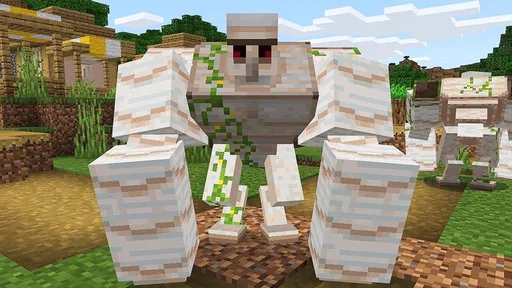
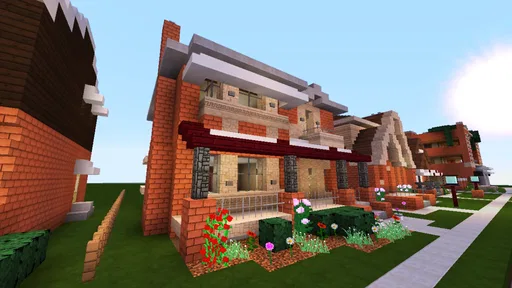
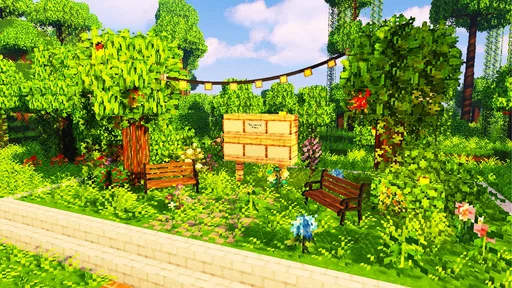
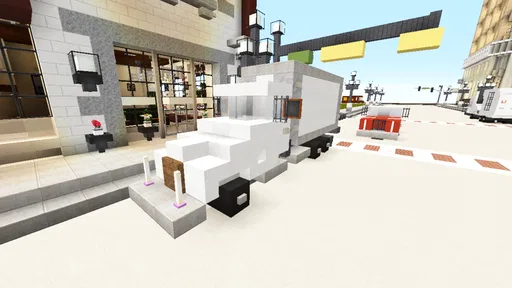
 Analysis by AppCompare
I’d approach Block Crazy Robo World Craft as a relaxed building game with a survival option, rather than as a tightly guided adventure. Its appeal is the freedom to make a place of your own, then decide whether you want to gather and explore at your own pace or add the pressure of robotic opponents. That flexibility gives it a clear audience: players who enjoy setting their own goals and don’t need a story to tell them what to do next.
What free access means in practice
The game is free to download, so there’s no purchase price to weigh against its play time. I’d still separate that fact from assumptions about every possible cost: free access tells me the basic entry point is no-cost, not what every optional element might involve. For someone who wants to try a block-based world before committing to a paid alternative, that low barrier is useful in itself.
Its reach suggests plenty of players have been willing to give it a try: it has over ten million installs and a 4.5 average from around 98,000 ratings. Those figures are a broad signal of interest, not a guarantee that its particular controls or pace will suit you. I’d use them as context, then judge the game by whether its building-and-exploring loop is the kind of downtime I actually want.
Making a short session feel worthwhile
In a sandbox, progress can feel vague unless I give myself a small target. A practical routine is to choose one modest project before I start: mark out a room, gather materials for a simple structure, or explore in one direction and return when I have enough to continue. That keeps a quick session satisfying without pretending every visit needs to produce a grand base.
I’d also decide which mode fits my mood before investing time in a plan. Creative play suits a focused building session, because I can concentrate on layout and appearance without resource pressure. Survival is the better choice when I want gathering and danger to shape my decisions. Switching expectations matters: a design that is relaxing in creative mode may become a chore if I try to reproduce it under survival constraints.
How it compares with other block games
Compared with a more structured simulation game, this one leaves more of the agenda to me. That freedom is a strength when I want to experiment, but a weakness if I rely on quests, clear milestones, or a detailed narrative to keep me moving. Against familiar crafting sandboxes, the robotic setting gives the world a different flavor, while the basic pleasure remains building, collecting, and seeing what is beyond the next stretch of terrain.
That distinction helps me decide when another option would be better. If I want an orderly campaign or a management game with explicit objectives, I’d choose something built around those systems instead. If I mainly want an open-ended place to tinker, and I’m happy to invent my own projects, this game is a more natural fit.
Worth Reading Before You Choose

EA SPORTS FC Mobile 26 Is a Bigger Football Game, but It Takes Time

Flipboard Shows What News Apps Must Do Beyond the Feed

Switching to Android Auto Means Rethinking Your Driving Routine

Google Calendar Makes a Crowded Week Easier to Manage

Ludo King Makes the Most of the Minutes Between Plans

Baby Panda World Brings Quick Play to Modern Phones, but Its Game Library Feels Busy
Who is likely to enjoy it?
I can picture it working well as an after-school or evening game for someone who likes making small improvements over time. For example, after a busy day, I might spend a brief session collecting what I need for a shelter, then use a later session to reshape it into a more personal base. A younger player who enjoys block construction may also appreciate the uncomplicated premise, though the age guidance is Everyone 10+, so I’d keep that rating in mind when choosing a game for a child.
The game is developed by Prokids Studio and sits in the simulation category. It is free, has a 4.5 average, and has been released for Android 7.0 or later; its current version is 2013. The age rating is Everyone 10+. Those details make it easier to check basic compatibility, but I’d still confirm that the device runs it comfortably before planning a long building project.
Tradeoffs that affect the experience
The open-ended structure can be a real limitation if I want a steady stream of instructions. Without a personal goal, gathering and building may blur into repetition, and the survival option may not appeal to someone who simply wants to decorate in peace. Conversely, a player seeking a demanding strategy challenge may find that a sandbox focused on free construction doesn’t provide the depth they expect.
I would treat shared creations as inspiration rather than a promise that every session will feel social. Seeing other people’s work can spark an idea for a new layout, but the game is most rewarding when I have a project of my own to return to. A useful habit is to note one detail I want to borrow—such as a compact shape or a color arrangement—then adapt it instead of trying to copy a whole build. That keeps browsing connected to making something myself.
Small choices that save frustration
Before committing to a large structure, I’d test its footprint with a small section and check that the proportions look right from the angle I care about. In a block-based environment, a doorway or tower that seems sensible while standing nearby may feel cramped or oversized when viewed from farther away. A little trial build is cheaper than reworking an ambitious project later.
For survival, I’d separate exploration from construction where possible: gather with a clear return point in mind, then use a safer stretch of play to organize materials and build. It is a simple way to avoid turning every project into a scramble. In creative mode, I’d do the reverse and sketch the outline first, then fill in details; unlimited freedom can make it surprisingly easy to keep adding decorations without deciding what the build is meant to be.
One question I’d ask before downloading is whether I want a game that supplies its own objectives. This one is better suited to players who enjoy inventing them. Another is whether I’m comfortable with a familiar crafting format: the robotic theme adds character, but it doesn’t change the core appeal of gathering, shaping space, and exploring. If that loop already sounds tiring, a more story-led or puzzle-focused game is probably a better use of my time.
First Impressions of the Blocky Universe
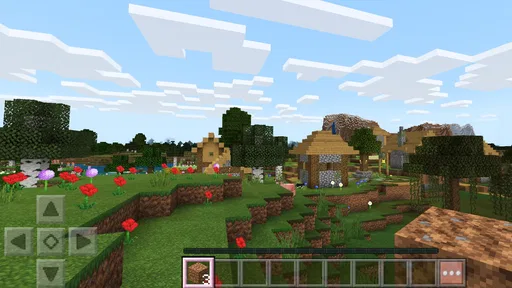
As soon as I fired up Block Crazy Robo World Craft, I was greeted by its vibrant, pixelated world. If you’re familiar with other crafting games, the interface will feel like a second home. The controls are intuitive, making it easy to start building, mining, and crafting your own world without a steep learning curve. It's like stepping into a retro-futuristic world where anything is possible.
Diving Into Gameplay
The gameplay is what you’d expect from a crafting game but with a robotic twist. You start by gathering resources, which is pretty straightforward. Trees, minerals, and other materials are yours for the taking, and crafting items is simple and rewarding. The real fun begins when you start encountering the robo inhabitants of this crazy world. These AI companions and adversaries add a unique layer to the typical sandbox experience.
The game offers both creative and survival modes, catering to different play styles. In creative mode, you can let your imagination loose without worrying about pesky resources or enemies. But if you're up for a challenge, survival mode tests your ability to gather materials and fend off robotic foes. It’s a nice balance that keeps things fresh.
Graphics and Sound
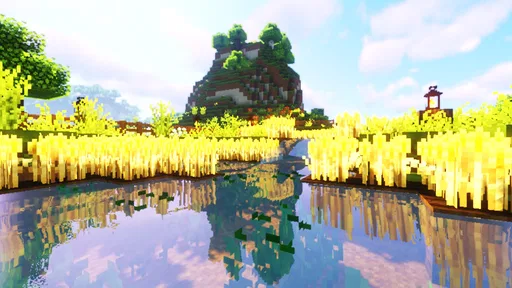
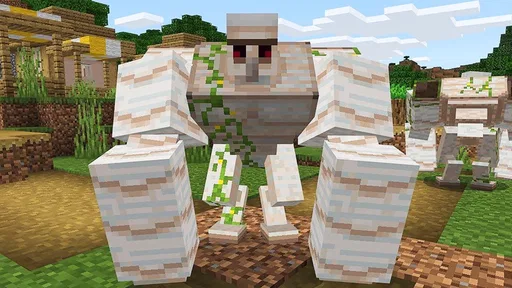
The graphics are a delightful mix of retro and modern aesthetics. Sure, we’re talking blocks here, but the colors are vibrant and the environments are well-designed. The robos themselves are quirky and add a unique charm to the game. Sound-wise, the background music and effects do a good job of enhancing the immersive experience without being too overbearing.
What Keeps Me Hooked?
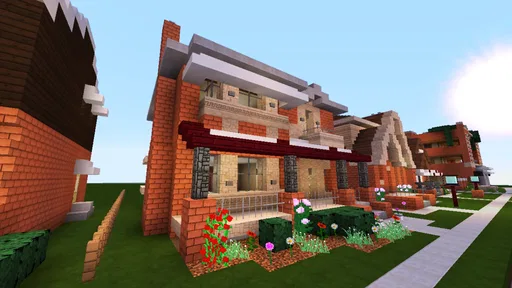
One of the standout features is the expansive world. Each new area offers something different, keeping exploration exciting. Plus, the ability to customize your environment with a variety of blocks and tools means that no two worlds are the same. It’s like a never-ending LEGO set where your imagination is the only limit.
Another thing I appreciate is the community aspect. The game allows you to share your creations and explore worlds built by other players. This adds a social component that’s both inspiring and motivating.
Final Thoughts
Overall, Block Crazy Robo World Craft is a delightful addition to the sandbox genre. Whether you’re a veteran crafter or a newcomer, there’s something in this game that will capture your interest. The mix of crafting, exploring, and battling robots creates a dynamic experience that keeps you coming back for more. It’s like a playground for the mind, and I’m all in.
Pros
- Engaging creative building mechanics.
- Vibrant and colorful graphics.
- Easy to learn controls.
- Regular updates with new content.
- Multiplayer mode enhances fun.
Cons
- Occasional in-game ads disrupt play.
- Limited character customization options.
- Some performance issues on older devices.
- Requires internet for full features.
- In-app purchases can be pricey.
FAQs for Block Crazy Robo World Craft
What is Block Crazy Robo World Craft about?
Block Crazy Robo World Craft is a sandbox-style game that combines elements of crafting, building, and exploration with a futuristic, robotic theme. Players can create and explore vast worlds filled with unique blocks, engage in various missions, and interact with robotic characters. The game offers a creative outlet for players who enjoy constructing their own environments.
Is Block Crazy Robo World Craft free to play?
Yes, Block Crazy Robo World Craft is free to download and play. However, like many free-to-play games, it may offer in-app purchases. These purchases can enhance the gaming experience by unlocking additional features, removing ads, or providing in-game currency. It’s up to the player whether they want to spend real money or enjoy the game without any purchases.
What platforms support Block Crazy Robo World Craft?
Block Crazy Robo World Craft is available for both Android and iOS platforms. Players can download it from the Google Play Store for Android devices or the Apple App Store for iOS devices. The game is designed to be compatible with most modern smartphones and tablets, ensuring a wide range of users can enjoy it.
How does multiplayer work in Block Crazy Robo World Craft?
Block Crazy Robo World Craft allows players to connect with friends and other players worldwide through its multiplayer mode. Players can join or host game sessions, collaborate on building projects, or engage in competitive challenges. A stable internet connection is required to enjoy the multiplayer features, which adds a social dimension to the game.
Are there any age restrictions for playing Block Crazy Robo World Craft?
Block Crazy Robo World Craft is generally suitable for players of all ages. However, it is recommended for children over the age of 7 due to its complexity and the nature of in-app purchases. Parents may want to supervise younger players to ensure a safe and enjoyable gaming experience, especially if multiplayer interactions are involved.


